
Do You Need Security Measures When Working From Home? Here are Three Things to Consider
Disclosure: Our content is reader-supported. This means we may earn an affiliate commission for links you click on. There’s no cost to you. If you’d like to learn more about how Anywhere and Anytime Careers is funded, click here.
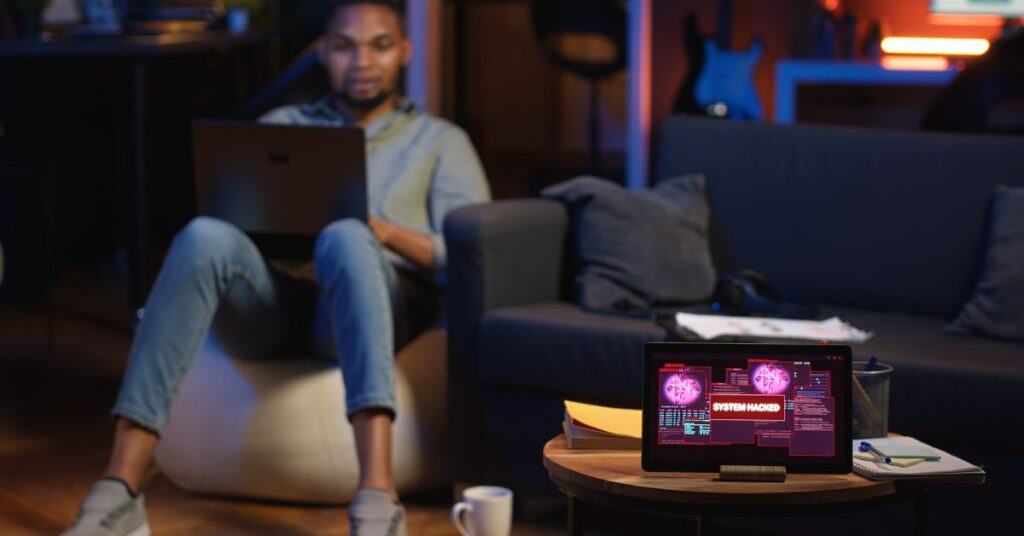
Working from home as a parent can mean juggling conference calls with snack requests. Or managing deadlines while keeping little ones entertained. Maybe even stopping a project in the middle to handle after-school pickup. So, with all that, you might not have even thought about the necessity of security systems when you’re working from home.
But your home office setup and work-from-home life might put your family and career at risk. For example, did you know that 78% of companies with remote workers reported at least one security incident in 2025?
That’s why you probably need both digital and physical security measures to protect your family, home, and work. In this post, we’ll give you a guide to what to consider while making your work-from-home security plan.
Why Cybersecurity Matters In Your Home Office
I know. Cybersecurity sounds like something only major corporations need to worry about. But it’s also for freelancers and others who work from home.
Why? Because when you’re handling client data, financial information, or company files from your kitchen table, you’re basically turning your home into a satellite office.
And, as with any office, that means there are risks from hackers that want this information. That’s because having access to this kind of info makes you a target for cybercriminals. They know remote workers often have weaker security protocols than traditional offices, and will take advantage of that if they can.
And this doesn’t change if you’re a freelancer. You’ll probably provide services to multiple people, companies, or small businesses at the same time. That means you’ll need to protect every client’s data.
And then there’s your family…
Being a parent makes cybersecurity even more challenging – and more vital.
Here are a few reasons why:
- Children using the same internet connection you use for work for their online learning or gaming might accidentally download malware or click suspicious links.
- When your teenager’s online web browsing and your Zoom meetings share the same network, they create potential vulnerabilities.
- Kids don’t always understand safety measures like not sharing passwords or personal information like addresses and what parents do for work.
Need to help your kids understand why safety matters online? Here’s a video with basic cybersecurity measures for young kids (grades K-2).
What Type of Cybersecurity Do You Need?
For parents managing multiple internet users and devices, a family cybersecurity plan is a sensible approach. Some providers offer packages that protect all of your household devices under one umbrella. This makes it easier to monitor and maintain security for your work and every family member, too.
When you’re considering which cybersecurity actions are right for you, it’s best to start with the basics:
- Set strong, unique passwords for all your work accounts. It’s best not to share these with your family members.
- Use multi-factor authentication wherever you can. This puts an extra layer of protection in place to ensure only you can get into these accounts.
- A reliable VPN is a must. This will encrypt your internet connection. This is especially important if you handle any sensitive client information.
And if you need to take things a step further:
- Consider upgrading your home router’s security settings. This will help keep your work and family safer, so everyone wins.
- Create a separate network for your work devices. This isolates your professional activities from your family’s internet usage.
- Use antivirus software with real-time protection. This can catch threats and neutralize them before they compromise your system.
If you’d like to learn more, check out our article on cybersecurity measures.
Are Home Security Systems Overkill?
Physical security might also be a good idea for you, too, especially if you’re storing work equipment or sensitive documents at home. If you live in an area with higher crime rates or are away from home frequently or at regular hours (like to do the daily school runs), leaving expensive laptops and confidential files unprotected could lead to disaster.
While you might not think it’s a necessity, traditional home security systems can help give you peace of mind if you use expensive or sensitive equipment when working from home. This might be even more of a factor if the equipment belongs to a company you work for.
A basic system can deter thieves from even trying to steal from you. That includes:
- Door and window sensors
- Motion detectors
- Alarms to alert you or authorities to potential break-ins
- Security cameras can deter thieves from even attempting to steal work-related materials.
And if you already have these measures in place, it could be a good time to make sure there aren’t any gaps in your security system, just in case someone tries to break in anyway.
The best part of taking these precautions is that your smart home security features will serve triple duty. They’ll be protecting your home, your livelihood, and your family. With the right system installed, you can rest easy knowing that everyone and everything in your home is safe.
Want to learn more? This beginner’s video on home security camerasmight be perfect for you!
Conclusion: Secure Your Home Office; Reduce Worry
We all know that balancing parenthood and remote work is challenging enough without worrying about security threats. So start by assessing your current vulnerabilities. Then, put cybersecurity measures in place to protect sensitive data. And, if you need to, follow up with physical security based on where you live and the value of your equipment and data.
Above all else, remember that good security systems are a necessity because they protect your professional reputation while working from home. And, as a bonus, they also help keep your family safe.